
TIBURN Interactive Display: Bring every creative idea to life with ease
An idea grows when people can see it, question it, and build on it. Discover how TIBURN's Share Your Thinking message connects interactive displays with everyday teaching, meetings, and collaboration.
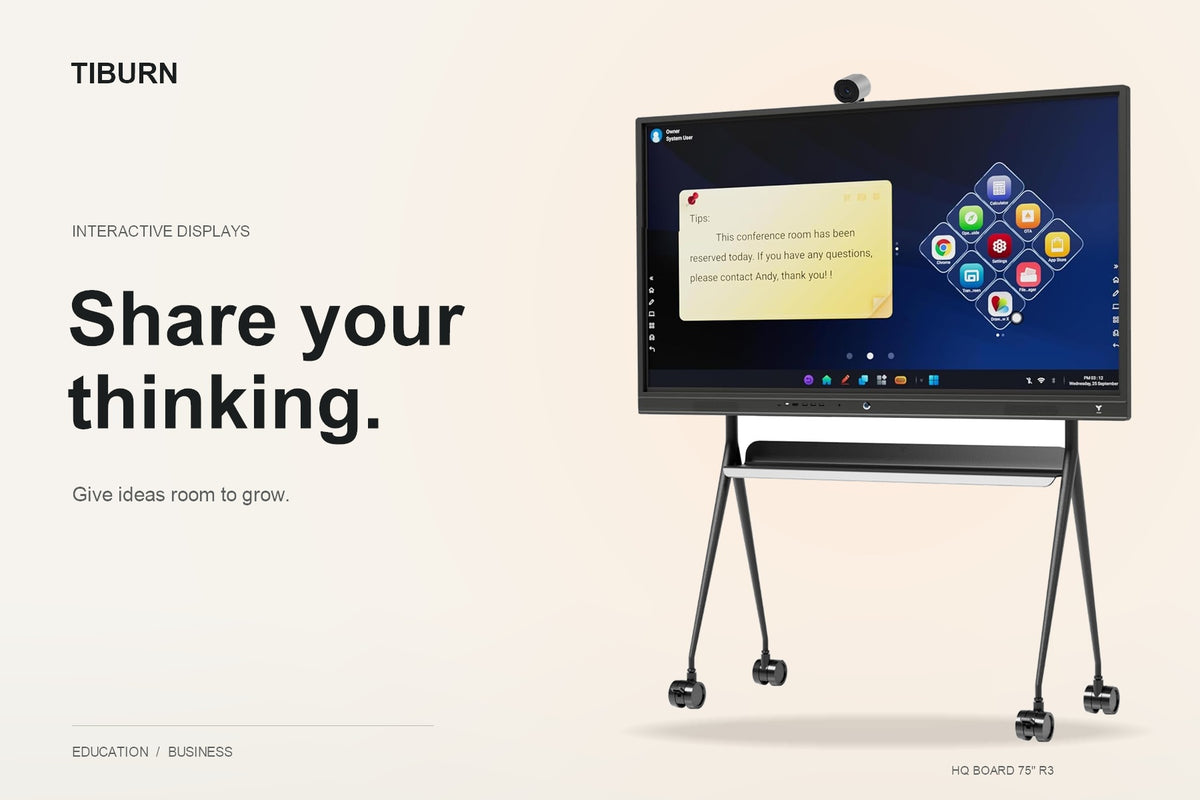
A good idea often starts small: a question in a classroom, a sketch during a project review, a connection someone makes halfway through a meeting. Giving that idea a visible form makes it easier for other people to examine, challenge, and build on it.
That is the thinking behind TIBURN's interactive display range. Designed for education and business, the boards bring touch interaction, whiteboarding, presentation, and screen sharing into a shared workspace. The aim is practical: give people a place to work through something together.
On the TIBURN website, the invitation is simple: “Share Your Thinking.” It captures a useful standard for collaboration technology. The screen should serve the conversation, and the conversation should leave room for another person's contribution.
For teachers, that might mean making a student's reasoning visible. For a business team, it might mean turning an unfinished proposal into a plan everyone understands. Different rooms, different tasks, and the same starting point: put the idea where people can work with it.
Share Your Thinking: The Idea at the Heart of TIBURN
Sharing a finished presentation is one part of working together. Sharing the thinking behind it opens up more possibilities.
A diagram can reveal a missing step. A handwritten question can redirect a discussion. A colleague's document can introduce information the group has overlooked. An interactive display gives these contributions a common place to land.
TIBURN's homepage connects its brand message with touch control, visual presentation, screen sharing, and video meetings. Together, those capabilities support a familiar sequence: bring something into view, explain it, invite a response, and develop the idea further.
The brand's relevance comes from those everyday moments. A useful board earns its place when a teacher reaches for it to explain a difficult point, or a team gathers around it to resolve a practical question. Its value becomes tangible through the work people do with it.
That is a clear way to understand TIBURN: a brand centered on making ideas visible and giving people a shared surface for participation.
What a TIBURN Interactive Display Brings to the Room
An interactive display combines a visual workspace with touch input. In the TIBURN range, product pages describe whiteboarding, annotation, presentation, and wired and wireless screen sharing. The exact hardware, software, and accessories depend on the model and package.
These functions become meaningful when they connect to a task someone already needs to complete.
Give an explanation a visible form
Writing and drawing let a presenter develop a point as the discussion unfolds. A process can become a diagram; an abstract relationship can become a marked-up example. People can refer to the same visible detail while they ask questions or suggest changes.
For a teacher, this creates an opportunity to explain the steps behind an answer. For a team leader, it creates a way to show how a decision connects to the information in front of the group.
Bring the working material into the discussion
TIBURN's current display pages list both wired and wireless sharing. That gives schools and businesses different connection paths to evaluate for their own laptops, tablets, and phones.
The useful question is concrete: can the group put the document, lesson material, or presentation it needs onto the shared screen? Device compatibility, network settings, and the sharing software still matter, so the demonstration should use the devices people will actually bring into the room.
Make room for a response
A shared visual reference can give a discussion more direction. Participants can point to a specific issue, compare interpretations, or explain a proposed change using the material in view.
Touch capability supports interaction at the board. Remote participation and shared editing across devices depend on the meeting platform and software being used. A good setup connects those parts deliberately, so everyone knows how to contribute.
In Education, Make the Reasoning Visible
A classroom is full of thinking that is still taking shape. A learner may understand the first step of a problem but struggle to explain the next one. A diagram may prompt a question that a paragraph of text leaves unanswered.
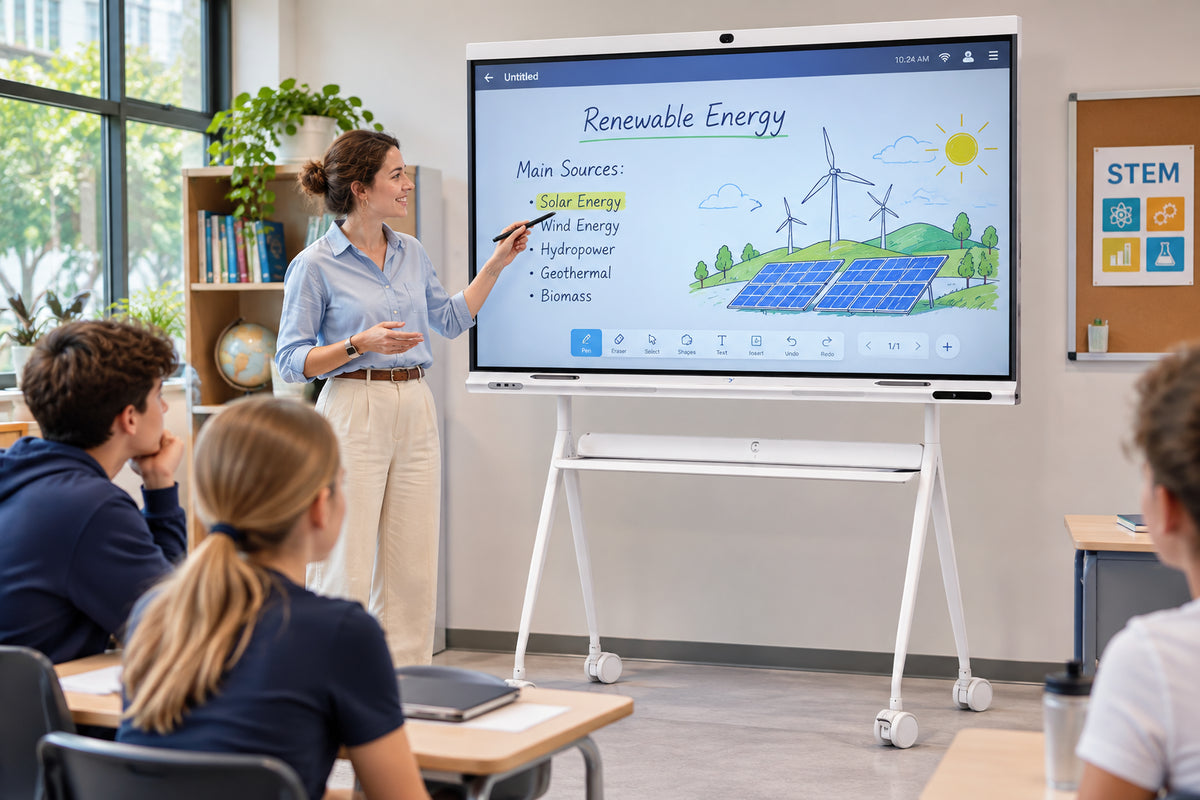
An interactive classroom display gives the teacher a place to work through those moments visually. The lesson can build through writing, diagrams, and discussion, with students following the same developing explanation.
TIBURN's whiteboard teaching environment includes writing and erasing tools, shapes, selection, undo and redo, page navigation, and a resource library. Examples include mathematics function tools, geometry resources, and chemistry illustrations. Teachers can insert supported resources into a whiteboard page and use them during an explanation. Availability should be demonstrated on the proposed model and software version.
Consider a mathematics lesson. A teacher could introduce a function, work through its graph, and ask a student to explain a relationship on the board. In a science lesson, a supported laboratory illustration could provide the starting point for labeling equipment and discussing its purpose.
The teaching choice stays with the educator: which question to ask, which representation to use, and when to invite a student forward. The technology provides a surface and tools for making that choice visible to the class.
In Business, Give the Discussion a Shared Reference
A project review often starts with several different perspectives. Sales understands the customer request. Operations sees the delivery constraints. A manager needs a clear decision and a practical next step.
A shared display gives the group a place to examine that information together. A presenter can bring the relevant material into view, explain a process visually, and use supported whiteboarding or annotation tools to develop the discussion.
For example, a team planning a launch could map the work in sequence and identify where one department depends on another. A training session could use a visual process to explain responsibilities. A design review could focus everyone's attention on the same detail before the group agrees on a revision.
An interactive touchscreen display gives these activities a common visual focus. A useful setup helps people see the material, explain their reasoning, and work toward a clear understanding of the next step.
For hybrid meetings, the display is one part of that setup. Camera coverage, microphone pickup, room acoustics, and meeting software all affect the experience. Test the intended configuration with a remote participant, including how the board's content will be shared through the meeting platform.
A TIBURN Range for Different Ways of Working
TIBURN's current website presents four distinct display formats. Each offers a different starting point for matching the workspace to the task.
| TIBURN model | Display format | A reason to explore it |
|---|---|---|
| Flip Hub 55-inch S2 | 55-inch 4K display with portrait and landscape rotation support | A compact format for smaller rooms and work that benefits from changing orientation, subject to the setup and app. |
| Inspur Board 65-inch | 65-inch 4K interactive display | A format to evaluate for classrooms, small to midsize meeting rooms, and shared presentations. |
| HQ Board 75-inch R3 | 75-inch 4K interactive display | A larger shared surface to evaluate for lessons, team meetings, and training. |
| Wide Board 92-inch L9 | 92-inch 5K display with a 21:9 aspect ratio | A wider format to evaluate for planning and presentations that need additional horizontal space. |
Screen size is one part of that choice. Readability from the furthest seat, writing height, available wall or floor space, and the content people use also deserve attention. A layout that works well on one display may behave differently on another; test the actual application when comparing formats.
The models also have distinct configurations. Operating systems, Windows options, cameras, mounting arrangements, and included accessories should be checked against the exact product and quote. The 65-inch base board and its Ultra version, for example, should be treated as separate configurations, as should the 75-inch R3 and R3 MAX.
This variety gives the brand's central idea a practical expression: find a workspace that fits how people need to think together.
Start with the Work You Want to Share
Choosing a board becomes more useful when the discussion starts with a real activity.
A school could bring a lesson file and ask a teacher to demonstrate how they would explain it. A business could bring a project document, connect its usual laptop, and work through a short review. A training team could check whether participants can read the material and approach the board comfortably.
Include the people who will use and support the display. Their questions often reveal the details that matter: how to connect a guest device, which software environment is required, how to share content with a remote attendee, and what equipment is included in the purchase.
This approach keeps the buying conversation connected to TIBURN's brand message. The objective is a shared space people can use with purpose, day after day.
Frequently Asked Questions
What is TIBURN?
TIBURN offers interactive displays and related products for education, business meetings, training, and collaboration. Its current display range includes the Flip Hub 55-inch S2, Inspur Board 65-inch, HQ Board 75-inch R3, and Wide Board 92-inch L9.
What does “Share Your Thinking” mean for TIBURN?
It is a phrase used on TIBURN's website. In the context of its interactive displays, it connects the brand with making ideas visible through presentation, writing, screen sharing, and discussion.
Can a TIBURN board be used in both classrooms and offices?
Yes. Current product pages describe education and business uses, including lessons, presentations, whiteboarding, meetings, and training. Choose the model and configuration around the room, software, and activities involved.
Are all TIBURN displays 4K?
The current 55-inch S2, 65-inch Inspur Board, and 75-inch R3 pages list 4K displays. The 92-inch Wide Board L9 is listed as a 5K, 21:9 ultrawide model. Check the exact model specification when comparing products.
Do all models include Windows and the same accessories?
No. Operating systems, Windows options, mounts, stands, and other accessories vary by product and package. Confirm the complete configuration in the quote, including any software licensing requirements.
How should an organization evaluate a TIBURN interactive display?
Use a real lesson or work document, connect the intended devices, and check readability, writing comfort, sharing, and any required video meeting workflow. Ask for written confirmation of the model, included equipment, software support, and purchasing terms.
Give Your Next Idea a Shared Space
Bring a lesson worth explaining, a project worth developing, or a question worth discussing. TIBURN's invitation is to put that thinking into view and give others a place to contribute.
Explore the TIBURN interactive display range or contact TIBURN to discuss your classroom, meeting room, or training space. Share your intended activities, room requirements, software, quantity, and delivery ZIP code so the conversation can start with the right configuration.
Share Your Thinking. Give ideas room to grow.
Join the conversation